Add lots to running auction
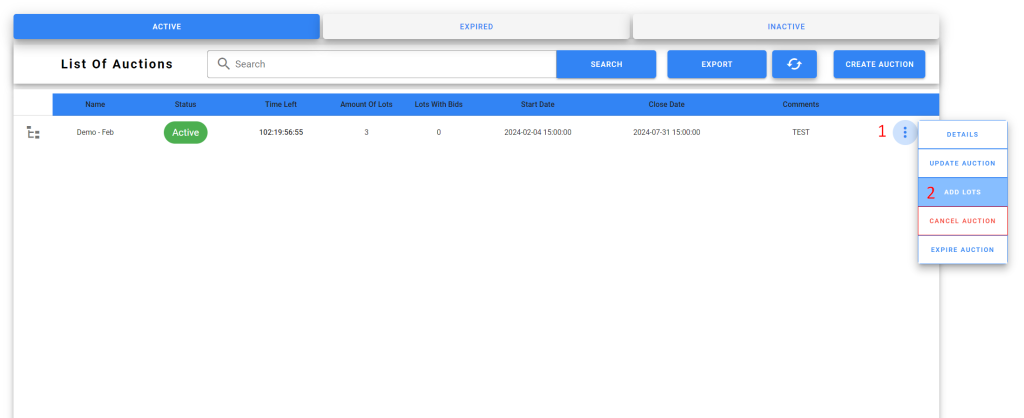
Navigate to your running auction
- Click the 3 dots menu to the right of the auction
- Click ADD LOTS
Click Depot Data to expand the depot selection screen
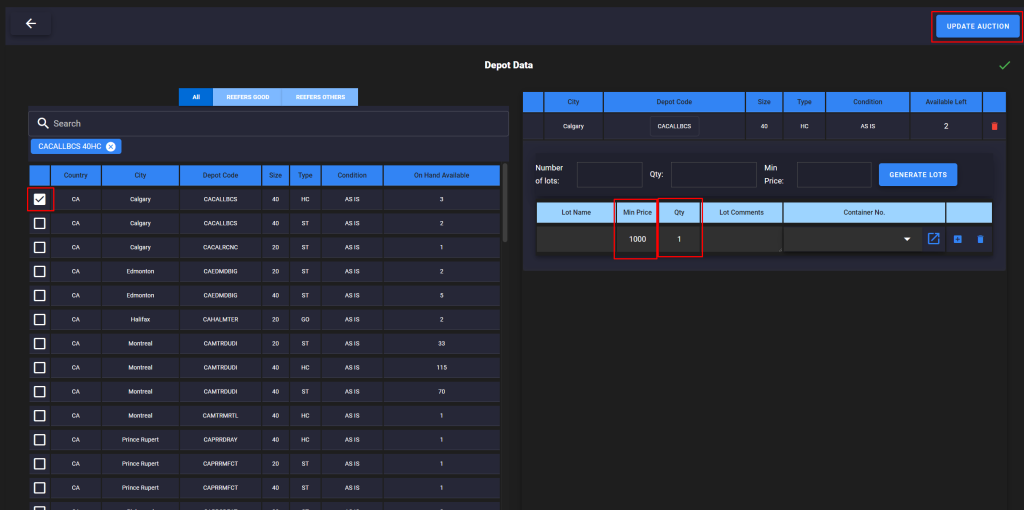
- Select depot, size, type from the left list to add as a lot
- On the right screen input Min Price, Qty for the added lot
- Click UPDATE AUCTION to add the lots to the running auction