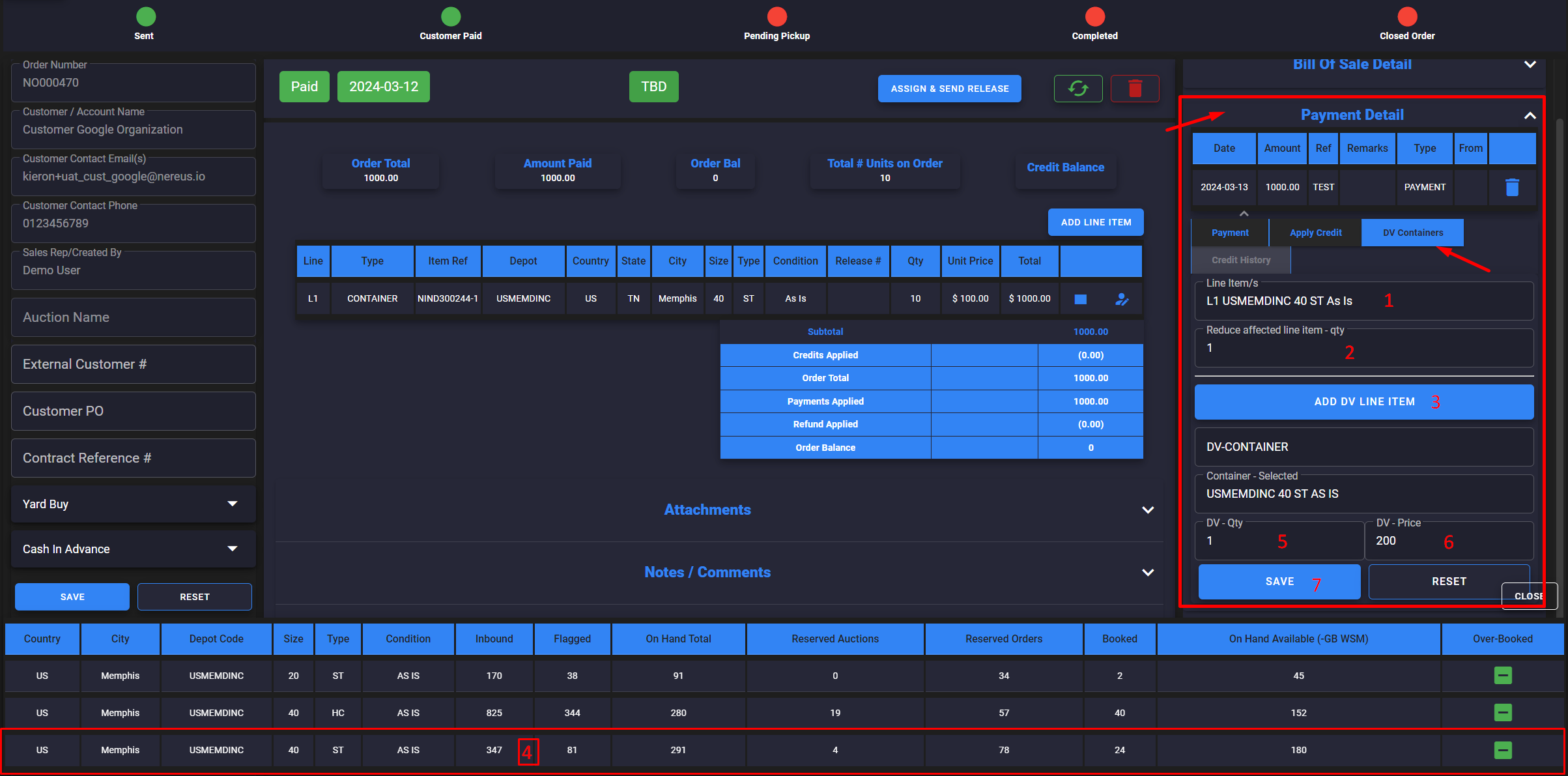
Vendor – Order – DV
How to setup DV on an order
- Open Payment Details panel
- Select DV Containers tab
- 1. Select Line item affected
- 2. Add qty of units affected
- 3. Click ADD DV LINE ITEM
- 4. Select row for new line item
- 5. Qty of new units
- 6. New unit prices
- 7. Save
The Bill of Sale should now show the difference between the unit/s taken out at original price to the new unit/s replacement with new price